
How to Send Robux to a Friend in 2026: New Roblox Plus Feature
For the first time ever, Roblox lets you gift Robux straight to a friend with zero platform fees. The new Send Robux feature is part of Roblox Plus and launched April 30, 2026. Full guide: how it works, the limits, age requirements, and whether it beats game passes.
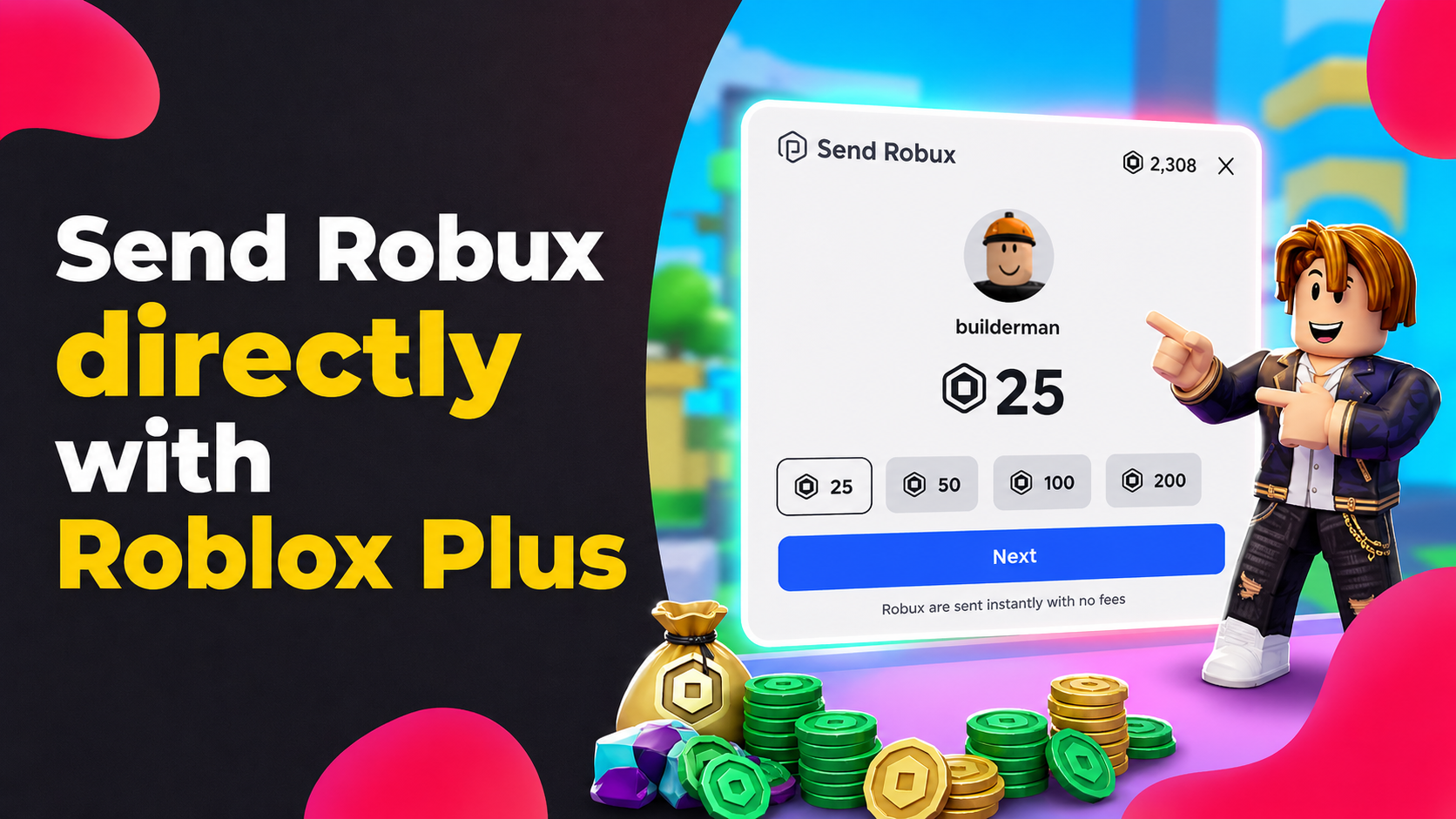
For years, "how to gift Robux to friends" has been one of the most-asked questions in the Roblox community — and the answer has always been the same frustrating workaround: a game pass with a 30% fee, a group payout that takes 72 hours, or a gift card.
That changed on April 30, 2026.
Roblox finally launched Send Robux, a real peer-to-peer transfer feature that lets you gift Robux directly to other players, with zero platform fees, instant delivery, and no need to own a game or group. It's part of the new Roblox Plus subscription, and it's the biggest change to how Robux moves between players in the platform's history. Finally - you can transfer Robux from one account to another!
This guide is based directly on Roblox's official 2026 documentation and covers everything: how the feature works, who can use it, what the limits are, how it compares to game passes, and whether it's actually worth the subscription.
Can you gift Robux to friends in 2026?
Yes — for the first time ever, you can send Robux directly between accounts.
Roblox Plus subscribers can now open any player's profile, tap Send Robux, choose an amount, and the Robux lands in the recipient's account in seconds.
If you've read older articles claiming "Roblox doesn't allow direct transfers" — those are outdated. Most blogs ranking on Google for "how to gift Robux" haven't updated since the April 2026 launch, so they're still telling people to use game passes. This guide reflects the actual current state of the platform.
The key advantages over every previous workaround:
- Zero platform fees — full amount reaches the recipient
- Instant delivery — no 3–7 day pending status like with game passes
- No game or group required — send straight from a friend's profile
- Officially sanctioned — fully ToS-compliant, no risk of being flagged
The trade-offs: you have to pay $4.99/month for Roblox Plus to send (recipients don't need it), and there's a hard cap of 1,000 Robux per month per sender.
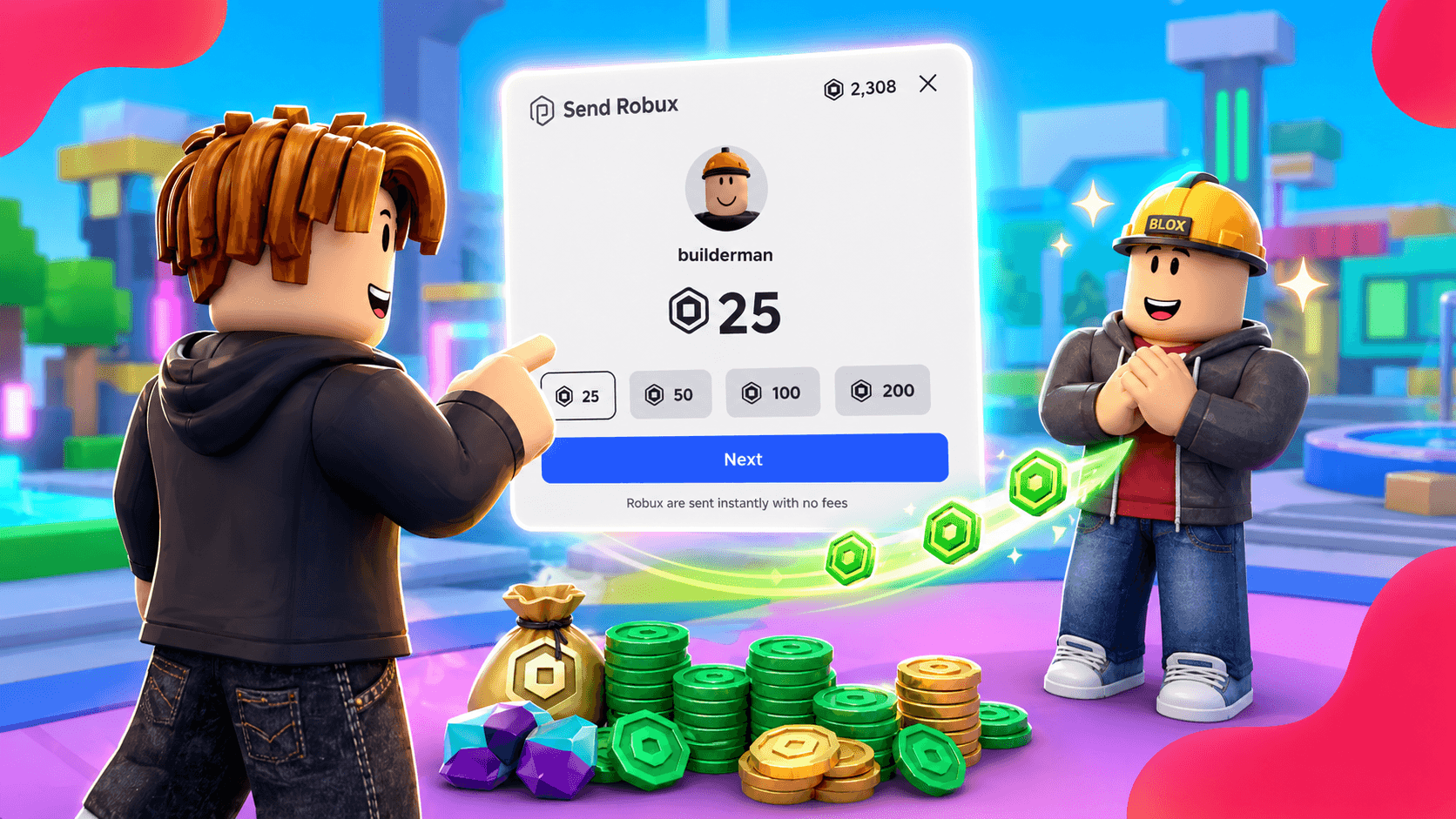
How to send Robux to a friend (step-by-step)
The entire flow happens inside the Roblox app — not on the roblox.com website. This is the single biggest source of confusion: people open their browser, can't find the option, and assume the feature doesn't exist. It's only in the desktop and mobile clients.
Step 1 — Subscribe to Roblox Plus
Open the Roblox app, go to Settings → Subscriptions, and subscribe to Roblox Plus ($4.99/month). You can also subscribe via the App Store, Google Play, or roblox.com. In some countries there's a free 30-days trial available!
Step 2 — Complete age verification
Go to Account Settings → Account Info and complete the age check. You can use either ID verification (passport, driver's license) or facial age estimation. You must be confirmed as 18+ to send without parental approval.
Step 3 — Navigate to your friend's profile
Open the Roblox app and search for your friend's username, or tap their avatar from your friends list to open their profile.
Step 4 — Open the three-dot menu
In the top-right corner of their profile, tap the three dots (•••) to open the action menu.
Step 5 — Select "Send Robux"
You'll see the Send Robux option in the menu. Tap it.
Step 6 — Pick an amount
Choose from the four available presets: 25, 50, 100, or 200 Robux. There is no custom amount field — if you want to send more, you'll need multiple transfers.
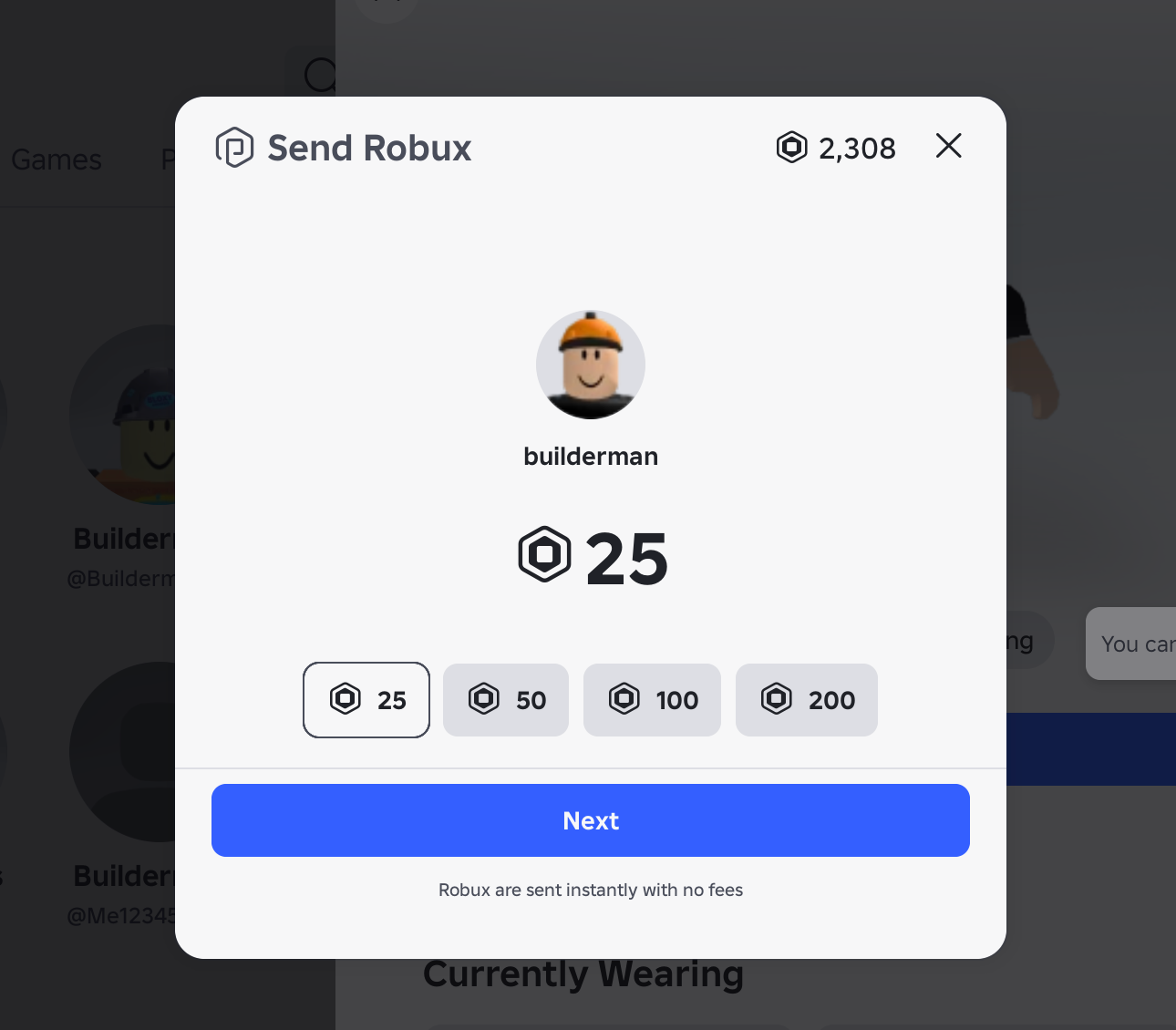
Step 7 — Confirm the transfer
Tap confirm. The Robux instantly leaves your balance and lands in the recipient's account. Both of you get a notification.
You can review every transfer you've sent or received on the Roblox website under My Transactions → Robux Transfers.
How much Robux can you send? Limits explained
According to Roblox's official Help Center, there is a monthly cap of 1,000 Robux per sending account. That's roughly $12.50 worth of Robux at standard pricing. Once you hit the cap, you'll see an in-app popup telling you you've maxed out for the billing cycle.
Roblox notes the limits are subject to change — typical platform behavior when rolling out new financial features. Once safety systems prove they're working, expect the cap to loosen.
Who can send and receive Robux? Age requirements
This is the area most often misexplained online. The actual rules:
To SEND Robux you must:
- Have an active Roblox Plus subscription
- Be age-checked (via ID or face scan) as 18+
- OR — if under 18 — have a linked parent account that approves every transfer
To RECEIVE Robux:
- You do not need Roblox Plus
- But you must be age-checked as 18+
- OR — if under 18 — have a linked parent account approving each incoming transfer
What happens if the recipient doesn't meet the requirements? The Robux goes into "Pending Robux" status on their account for 7 days. If they don't complete age verification or link a parent account in that window, the transfer is automatically cancelled and the Robux returns to the sender.
These restrictions are Roblox's response to growing regulatory and media pressure around child safety on the platform — locking transfers behind age verification and parental consent makes the platform much harder to abuse for grooming or financial exploitation.
Are there fees? Send Robux vs game pass vs group payout
Send Robux has zero platform fees. If you send 200 Robux, your friend receives 200 Robux. This is the single biggest difference from every previous method:
| Method | Roblox Fee | Delivery Time | Requirements |
|---|---|---|---|
| Send Robux (Roblox Plus) | 0% | Instant | Plus + 18+ |
| Game Pass | 30% | 3–7 day pending | Own a game |
| Group Payout | 0% (100 R$ to create group) | Up to 72 hours | Own a group |
| Trade with Robux | 30% | Instant | Tradeable items |
| Gift Card | 0% | Instant | Physical/digital card |
The "cost" of Send Robux is really just the Roblox Plus subscription ($4.99/month). If you regularly send Robux to friends or family, the feature pays for itself after a single 100-Robux transfer per month — because the 30% game pass fee alone would cost you more.
How to gift Robux without a game pass
Now in 2026 you have a clean option:
- Subscribe to Roblox Plus ($4.99/month)
- Complete age verification (18+)
- Open your friend's profile in the Roblox app
- Tap ••• → Send Robux → pick an amount
- Done — full amount delivered instantly, no 30% loss
The legacy game pass method still works, but for amounts up to 1,000 Robux per month, Send Robux is strictly better unless you specifically don't want a subscription.
Can you cancel or reverse a Robux transfer?
No, transfers are final. Roblox is explicit: "All transfers are final and cannot be reversed."
The only refund scenario is automatic — if the recipient fails to complete age verification within 7 days, the Robux returns to your balance without needing to contact support.
Because of this, always double-check the username before confirming. Scammers commonly create accounts with usernames that look almost identical to popular YouTubers or your friends (swapping "i" for "l", "o" for "0", etc.) and trick people into sending Robux to the wrong account. There's no recovery once you confirm.
Can you cash out gifted Robux through DevEx?
No. Roblox has officially confirmed that Robux received via Send Robux does not qualify for the Developer Exchange program (DevEx — Roblox's system for converting Robux into real money).
This is a meaningful limitation for creators. If someone wants to financially support you as a developer and you'd like to cash out, they should still buy your game pass or developer product instead — even with the 30% fee, that Robux counts toward DevEx.
Send Robux is purely an in-platform mechanic: receive it, spend it on Roblox, that's the loop.
Does Send Robux work on mobile, PC, and console?
The feature is platform-agnostic for users. As long as you have the Roblox app installed on PC, Mac, Android, or iOS and you're signed in, you can send Robux. It doesn't matter whether your friend plays on Xbox, PlayStation, or mobile — Robux is a single unified balance across all platforms.
The one limitation: the roblox.com browser version does not support Send Robux. You have to use the desktop or mobile app. If you only play through the browser, install the app first.
Frequently Asked Questions
Is Send Robux available worldwide?
Yes. Roblox Plus and the Send Robux feature launched globally on April 30, 2026. You can subscribe via the mobile app (App Store / Google Play) or the Roblox website. Price is $4.99 USD or local equivalent.
What's the maximum Robux I can send per month?
The official cap is 1,000 Robux per month. Roblox reserves the right to adjust limits based on region and regulations.
Can I send a custom amount, like 75 Robux?
No. The feature only offers four presets: 25, 50, 100, and 200 Robux. You can combine multiple transfers (e.g. 75 = 50 + 25, 350 = 200 + 100 + 50) up to the monthly cap.
What if I'm under 18?
You can both send and receive Robux, but you need a linked parent account that approves every individual transfer. If your parent doesn't approve within 7 days, the transfer is cancelled and refunded to the sender.
Can I cancel a transfer after sending?
No. All transfers are final. The only refund scenario is when the recipient fails age verification within 7 days.
Can I send Robux to someone who isn't my friend?
Technically yes — you only need to visit their profile. But Roblox strongly recommends only sending Robux to people you know personally. It's a common scam vector.
Are there hidden fees?
None. The full amount goes to the recipient.
What if I sent Robux to the wrong username?
Always verify the username before confirming. Once a transfer is complete, support cannot reverse it.
Can Robux received via Send Robux be cashed out via DevEx?
No. Robux received through the transfer feature does not qualify for the Developer Exchange program.
How do I check my transfer history?
On the Roblox website, go to My Transactions and switch to the Robux Transfers tab. You'll see every send and receive.
Do the old methods (game pass, group payout) still work?
Yes, all legacy methods still work. Send Robux is an additional option, not a replacement. For amounts above the 1,000 Robux/month cap, game passes and group payouts remain the only viable choices.
Will Roblox raise the 1,000 Robux limit?
Roblox has explicitly said the limit is subject to change. Most platforms loosen these caps once safety systems are battle-tested — don't be surprised if the cap doubles or triples within a year.
Can I receive Robux without a Roblox Plus subscription?
Yes. Roblox Plus is only required on the sender's side — there's no subscription needed to receive Robux. As long as your account is age-verified (18+) or has a linked parent account approving the transfer, anyone with Roblox Plus can send Robux straight into your balance for free. You don't pay anything to accept it.
Can you share Robux between accounts?
"Sharing" Robux in the strict sense isn't possible — Roblox doesn't have a shared wallet system. But you can effectively split your balance with friends or family by using Send Robux to transfer up to 1,000 Robux per month to anyone who's age-verified, with zero fees. For larger amounts or recurring distribution to a team, group payouts are still the better option.
Bonus: What else does Roblox Plus include?
Robux transfers are just one perk of the Roblox Plus subscription, which replaced Roblox Premium for new sign-ups starting April 30, 2026. Here's what else you get for $4.99/month:
- 10% discount on purchases in-game, on avatar items, and Robux from day one. Roblox covers the discount, so creators don't lose any earnings on your purchases.
- 20% discount starting in your third consecutive month — long-term subscribers double their savings!
- Free, unlimited paid private servers across all supported games.
- Trade and resell limited avatar items on the Marketplace (previously Premium-only).
- Publish and sell avatar items on the Marketplace.
- A Plus profile badge for visual recognition.
- Expanded game audience eligibility — Plus fulfills one criterion for your game to be visible to all age groups (relevant if you create games).
Roblox Plus does not include a default monthly Robux stipend (unlike old Premium). However, optional bundles — Plus 500, Plus 1000, and Plus 2000 — combine the subscription with 500 / 1,000 / 2,000 monthly Robux respectively. They're rolling out shortly after the main subscription launch.
If you already spend $5–10 on Robux every month, the 10–20% discount alone roughly covers the subscription cost, and Send Robux plus the free private servers come as essentially free extras.
Bottom line
Roblox finally shipped what the community has asked for since launch: a clean, official, secure way to send Robux directly between players. Send Robux is now the most convenient method for transferring small amounts of Robux to friends in 2026, as long as you have a Roblox Plus subscription and a verified 18+ account.
For anyone who doesn't want a subscription or needs to move more than 1,000 Robux a month, the legacy methods still work. But for the 99% case of "my friend needs 200 Robux for a game pass," Send Robux is a genuine game-changer!
And if you're looking for a way to earn Robux for free — so you can send it to friends through Plus without spending real money — that's exactly what SkinApe is built for. Earn coins by playing mobile games and completing offers, then redeem them for Robux, CS2 skins, Minecoins, or gift cards. Check out SkinApe and stack your first Robux without spending a cent.